Free Video Downloader
for Android and Windows.
Paste a video link, pick a quality and save it — hundreds of sites supported by yt-dlp. Up to 4K where the video offers it. Free to download and use.
 Scan QR code or open on Android
What is VidBlaze?
VidBlaze is a free video downloader for Android and Windows. Paste a video link, choose a quality (up to 4K where the video offers it), and VidBlaze saves the file to your phone or PC. It works with hundreds of sites supported by yt-dlp, and it needs no account, no login and no subscription.
On Android, downloads run in the background, so you can lock your screen or switch to other apps while a video saves, and you can share a video to VidBlaze from any app. Pause and resume work for most downloads, and audio only saves the audio in its original format.
VidBlaze runs on Android 7.0 and above, on 64-bit ARM (arm64-v8a) phones, and does not need root access. It is installed from an APK file on this website, so Android will ask you to allow installs from unknown sources once — the steps are in our APK install guide.
On a PC, VidBlaze for Windows needs Windows 10 or 11 (64-bit). It is installed with a 43.8 MB installer, and its first start downloads about 170 MB of tools, so you need an internet connection. The installer is not code-signed, so Windows SmartScreen will warn first. See the Windows page and the Windows install guide. The app saves your videos to Downloads\VidBlaze, runs one download at a time, and must stay open while it downloads.
Available on your platform
Built for where you watch. Android and Windows, both ready to download.
Android
Full-featured video downloader. Background downloads, pause and resume, share from any app directly.
- Android 7.0 and above
- 64-bit ARM (arm64-v8a) phones
- No root required
Windows
Paste a link, pick a quality and save the video to your PC. One download at a time, with the next ones waiting in a queue.
- Windows 10 or 11, 64-bit
- Installer 43.8 MB, then about 170 MB one-time setup download
- The app is in English
The Windows app is for a PC. Open this page on your Windows PC to download.
Windows detailsNot code-signed: how to installEverything you need.
Nothing you don't.
Sites Supported
Works with hundreds of sites supported by yt-dlp, including YouTube and Rumble (tested by the developer on Windows) — social media, video hosts and news sites. Support for each site can change. Paste a link, or on Android share the video straight from the app you are watching in.
Up to 4K Quality
Pick your quality, up to 4K where the video offers it — download exactly what you need. Choose a smaller file to save storage and data, or the highest resolution for the sharpest picture. Prefer just the sound? Audio only saves the audio in its original format.
Background Downloads
On Android, downloads keep running in the background: close the app or lock your screen and VidBlaze keeps downloading until your video is saved. On Windows, keep the VidBlaze window open while it downloads.
Pause & Resume
Bad connection? Pause and pick up exactly where you left off. Pause a large download whenever you need your data or battery, then resume it later — no need to start over.
Share to Download
On Android, share any video straight from any app. No copy-paste needed. Tap Share in the app you are watching, choose VidBlaze and pick your quality.
No Login Required
No account, no sign-up. Open the app and download. There is nothing to register and no email to enter — just open VidBlaze and paste a link.
Saved to Your Downloads Folder
Android saves every download to Download/VidBlaze, Windows to Downloads\VidBlaze. Find your videos there, ready to play in any video player.
Free to Download and Use
No subscription. No premium tier. No ads. VidBlaze is free to download and use.
See It In Action
Everything you need, right at your fingertips
These screenshots show the Android app.
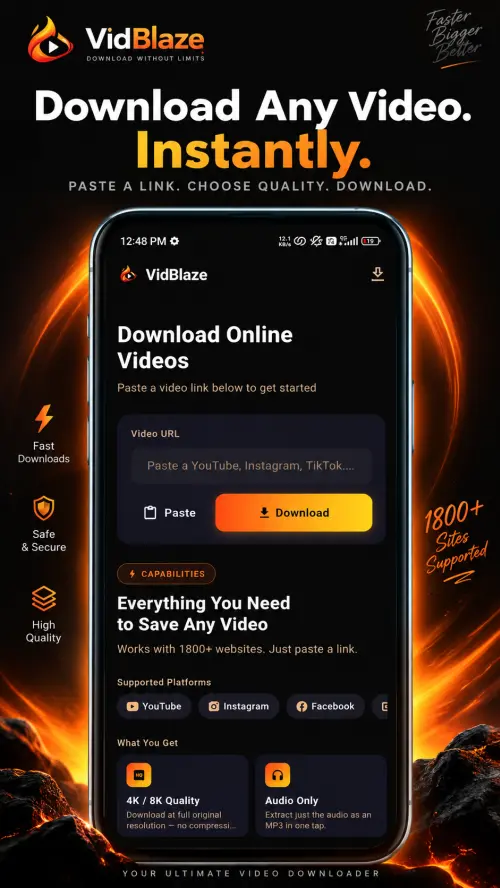
Paste a link and pick a quality — hundreds of sites supported by yt-dlp 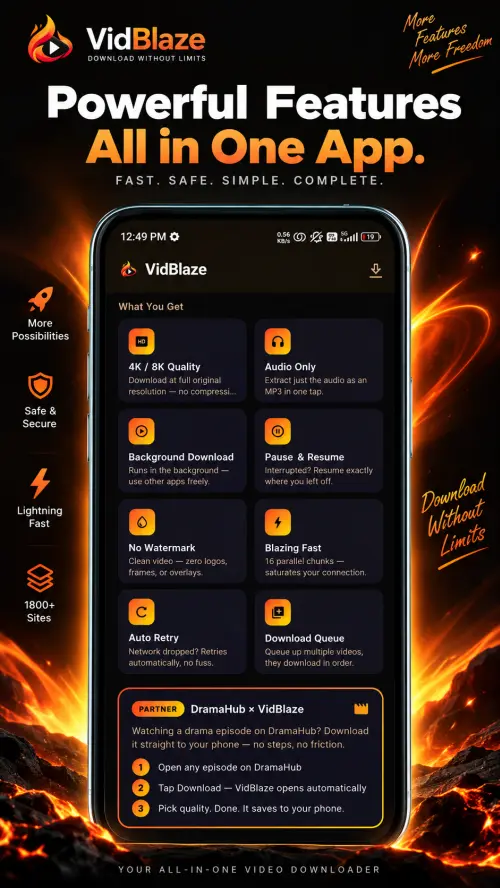
4K quality, background downloads, pause & resume — all in one app 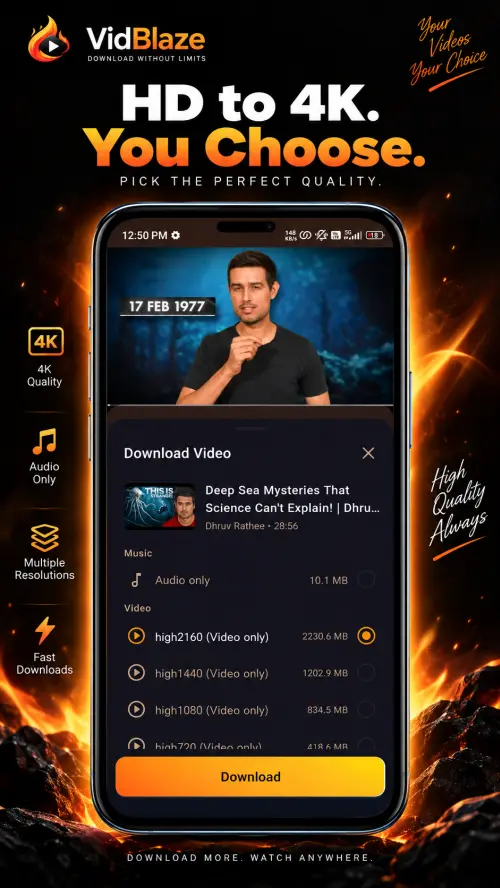
Choose your quality — audio only, HD, 1080p, 1440p or 4K 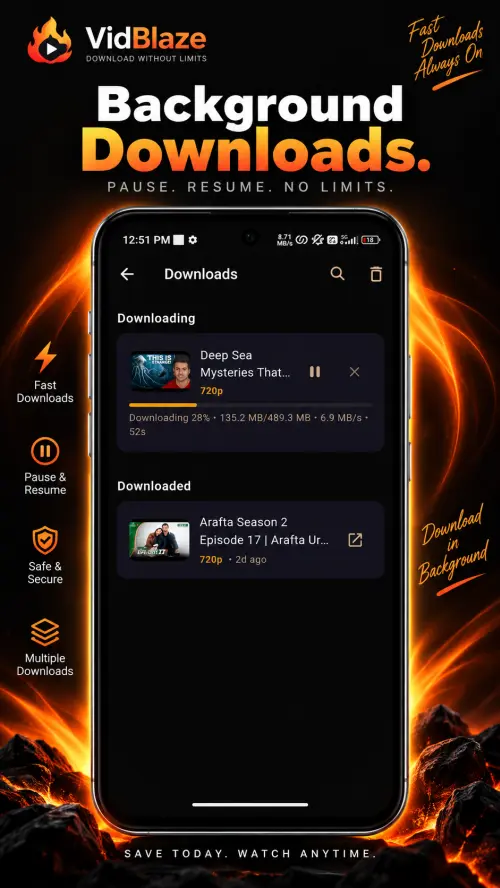
Background downloads with real-time progress — pause, resume, no limits 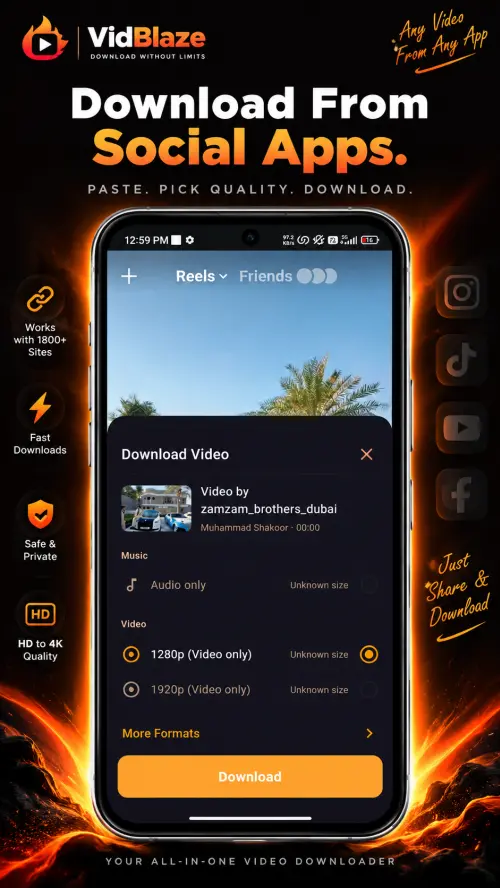
Share any video to VidBlaze from any app — instant download 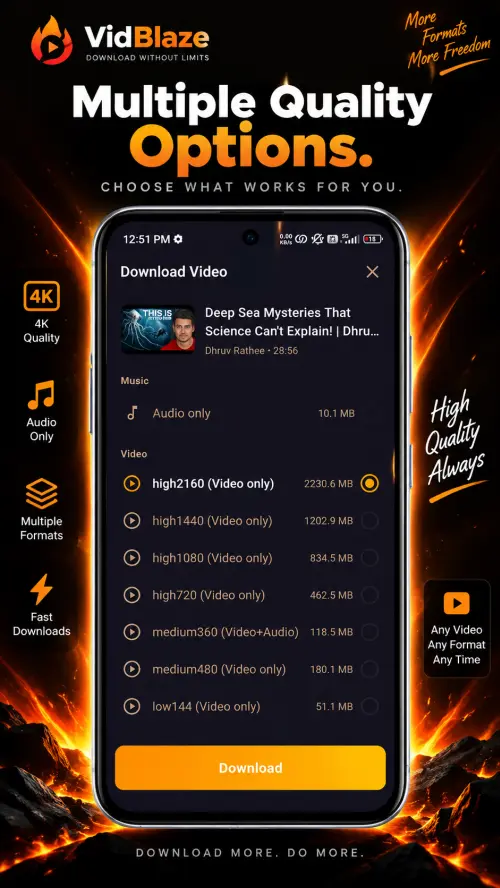
Every format available — from 144p to 4K, audio only or full video 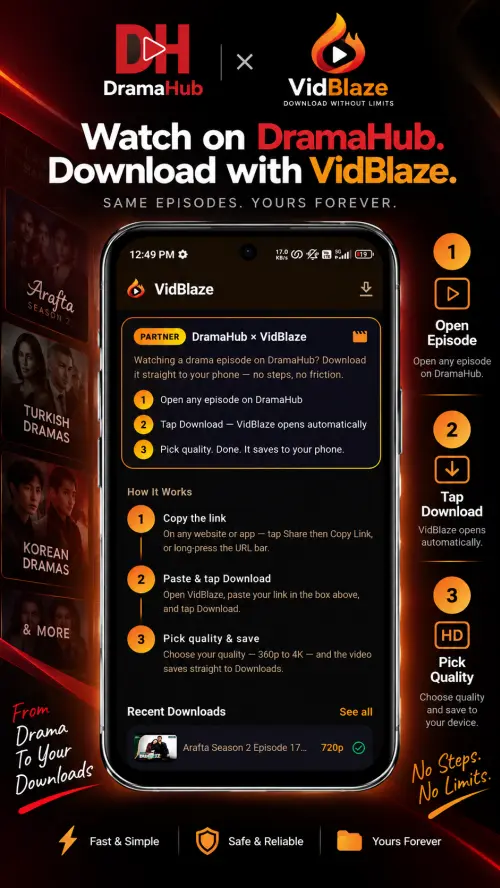
Watch on DramaHub, download with VidBlaze — same episodes, yours forever
Hundreds of sites supported by yt-dlp
Support for each site can change. Tested by the developer on Windows: YouTube and Rumble.
Social media
Videos shared on social networks and short-video apps.
Video hosts
Sites and platforms built to host and embed video.
News sites
Video reports and clips from news and media websites.
Other sites
Video from many other sites that yt-dlp supports.
How to download videos
in a few simple steps.
Paste or Share
Copy any video URL and paste it into VidBlaze — or share directly from any app using Android's share sheet. No switching apps needed.
Pick Your Quality
Choose the format and quality that suits you. From compressed mobile formats to full 4K resolution — the choice is yours.
Done — It's Yours
Download runs in the background. Close VidBlaze, use other apps — your video keeps downloading. Find it in your Downloads folder when ready.
Download and install
Download the installer and open it. If Windows shows its SmartScreen warning ("Windows protected your PC"), select More info, then Run anyway (shown in your Windows language). The installer is not code-signed.
First start sets things up
The first time, VidBlaze downloads yt-dlp, FFmpeg and Node.js (about 170 MB). You need an internet connection; keep the window open until it finishes.
Paste a link, pick a quality
Paste a video link and choose a quality. What is offered depends on the video and the site. Audio only keeps the original audio track.
Find it in Downloads
Downloads run inside the VidBlaze window, one at a time, so keep it open. Finished videos are saved to Downloads\VidBlaze.
Frequently asked questions
How do I install VidBlaze APK on Android?
Download the APK from vidblaze.app. Open the downloaded file. Android will show a one-time prompt — tap Settings, toggle Allow installs from unknown sources, go back, and tap Install. Future updates install with one tap.
Is VidBlaze free?
Yes. VidBlaze is free to download and use. No subscription, no login, no hidden fees. Download the app for Android or Windows and start downloading videos.
How many sites does VidBlaze support?
VidBlaze supports hundreds of sites, as listed by yt-dlp, the engine it uses. On Windows the developer tested YouTube and Rumble. Support for each site can change, and some videos (for example DRM-protected or private ones) cannot be downloaded. See the Supported Sites page for the list.
Does VidBlaze work in the background?
On Android, yes. VidBlaze downloads continue in the background even when you switch to other apps or lock your screen. Downloads can also be paused and resumed at any time. On Windows, downloads run inside the VidBlaze window: if you close it, downloads stop, and VidBlaze asks you first. Only one download runs at a time.
Why does Android show an unknown sources warning for VidBlaze?
This is Android's standard one-time safety step for any app installed outside the Play Store. VidBlaze APK is built by the Drama Hub team, requires no login, contains no malware and is free to download and use. The same warning appears for WhatsApp, Telegram, and other trusted apps when sideloaded.
Which Android versions does VidBlaze support?
VidBlaze runs on Android 7.0 and above, on 64-bit ARM (arm64-v8a) phones, and does not need root access.
What permissions does VidBlaze need?
On Android: storage or media access to save videos to your Downloads folder, notifications to show download progress, and background-service permissions so downloads keep running when you leave the app. It does not ask for your location, camera, microphone, contacts, SMS or call logs. The full list, including the permissions added by Firebase Analytics, is at vidblaze.app/permissions. The Windows app does not use Android-style permissions: it runs as your normal Windows user, and that page also lists what it installs and runs.
Where are my downloaded videos saved?
On Android, VidBlaze saves every video to the Download/VidBlaze folder in your phone's internal storage. You can play them from the app, or open Files (My Files on Samsung) › Downloads › VidBlaze. On Windows, VidBlaze saves videos in the VidBlaze folder inside your Downloads folder (Downloads\VidBlaze). You can't change the folder in the app.
How do I check the SHA-256 checksum of the APK?
A SHA-256 checksum is a fingerprint of the file: if even one byte changes, the checksum changes. Every VidBlaze release lists its checksum in the Download section and on the changelog. Compare it with the checksum shown by a checksum app, or upload the APK to VirusTotal, which shows the file's SHA-256. If the two match, you have the original file.
What does the VirusTotal scan cover?
The "Virus scan clean" badge in the Download section links to the VirusTotal report for the current VidBlaze APK, matched by its SHA-256 checksum. VirusTotal scans that exact file with dozens of antivirus engines. It covers that release only, so each new version gets its own report.
How do I update VidBlaze on Android?
When a new version is out, VidBlaze shows an Update Available message when you open it. Tap Update, download the new APK, open it and tap Update. Your settings and downloads are kept.
Will Android developer verification stop me installing VidBlaze?
No. Google is introducing developer verification for apps installed on certified Android devices, starting on 30 September 2026 in Brazil, Indonesia, Singapore and Thailand, with a worldwide rollout planned for 2027. VidBlaze is registered with Google (package name com.vidblaze.vidblaze), so it installs the normal way. If you ever see a message about an unverified developer, make sure the APK came from vidblaze.app and check its checksum.
Is there a VidBlaze for Windows, and which versions of Windows does it need?
Yes. VidBlaze for Windows is a free installer for Windows 10 or 11 (64-bit). It was tested by the developer on clean Windows 10 and Windows 11 PCs, with YouTube and Rumble, and on a standard (non-admin) account. It does not run on 32-bit Windows or on Windows 7 and 8.
Why does Windows say "Windows protected your PC" when I open the installer?
Windows shows this screen for programs it does not recognize, and the VidBlaze installer is not code-signed, so Windows cannot tell who published it. To continue, select More info, then Run anyway (shown in your Windows language). Only do this for the file you downloaded from vidblaze.app or from the VidBlaze release on GitHub, and compare its SHA-256 with the one on this site first (steps in the Windows install guide). The download page also links a VirusTotal scan of the file.
Why does VidBlaze download files the first time I open it on Windows?
The first start downloads three programs the app needs: yt-dlp, FFmpeg and Node.js, about 170 MB in total. You need an internet connection for this. Each download is checked with a SHA-256 checksum before it is used. It happens once for your Windows account; the app also looks for a newer yt-dlp from time to time. If a download fails, VidBlaze says why and offers a Retry button.
Does the Windows app collect my data?
You don't need an account, and the Windows app does not include analytics or crash reporting. It does contact a few servers to work (for its settings, to download its tools, and to download the videos you ask for). The full list is in the Privacy Policy. The Windows app does not read or store cookies.
About VidBlaze
VidBlaze is a free video downloader for Android and Windows — paste a link, pick a quality, and download from hundreds of sites supported by yt-dlp. It's made by the team behind Drama Hub, and it needs no account or sign-up. Have a question, feedback or an idea? Join the community on Telegram or email contact@vidblaze.app.
 Download Now
Ready to Blaze?
Free to download and use. No account needed. Pick Android or Windows.
b1f0712404054e017e4fe46dd88719c5a983eacad117293ac17be864c3edfd65- 1Download the APK — tap the button above and save the file to your device.
- 2Allow unknown sources — go to Settings → Security → enable "Install unknown apps" for your browser or file manager.
- 3Open the APK — tap the downloaded file in your notifications or Downloads folder and follow the installer.
- 4Start downloading — paste any video URL or share from any app directly into VidBlaze.
The Windows app is for a PC. Open this page on your Windows PC to download.
Windows detailsThe installer is not code-signed, so Windows SmartScreen will warn before it opens (More info, then Run anyway). How to install (SmartScreen)
Scanned on VirusTotal on 7 October 2026: 0 of 70 engines reported this file.View the report (opens the VirusTotal report in a new tab).A scan is a snapshot, not a guarantee.
29416c5954ccd0659c68a41d585fb10f5b449d26772501ca3ee5b6ceea94509a- 1Download the installer — select the button above and save the file.
- 2Check the SHA-256 (optional) — compare the checksum above with the one PowerShell shows for the file (Get-FileHash).
- 3Open it and get past SmartScreen — if Windows shows "Windows protected your PC", select More info, then Run anyway (shown in your Windows language).
- 4Install — follow the setup wizard; it installs for your Windows user account.
- 5Let the first start finish — VidBlaze downloads yt-dlp, FFmpeg and Node.js (about 170 MB). Keep it open and online until it finishes.
- 6Start downloading — paste a video link, pick a quality, and find the video in Downloads\VidBlaze.
Read our Terms of Use and Privacy Policy before you install.
Made by the team behindDrama Hub